User mapping
3 min
In many cases, the client device user differs from the user account being connected to on the terminator device. The reason can be a multi-domain setup or administrative accounts (e.g. client user ACME\john logging in as JMPR\john_admin on the terminator device).
User mapping connects these two entities
Dynamic user mapping (default)
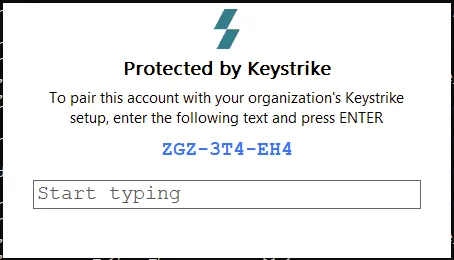
- When a user accesses a terminator device for the first time (e.g., via Remote Desktop or SSH), they are prompted to enter a 9-character code displayed on the screen.
- Keystrike identifies the client initiating the code entry and creates a mapping between the two accounts.
Predefined user mapping (advanced)
- User mapping rules can be specified using regular expressions to translate the terminator username to the client username.
- This option is more advanced and requires manual configuration. See here for detailed instructions.
Configuration
User mapping is configured in terminator groups, where the different methods can be enabled/disabled and the rules for predefined user mapping are entered.

- Dynamic user mapping is the default and recommended option.
- Predefined user mapping is an advanced feature and is disabled by default.
Mapping order
When determining the user mapping, Keystrike follows this order:
- Predefined - If predefined mapping rules are enabled and match the terminator's username, that mapping is used.
- Dynamic - If dynamic mapping is enabled and predefined mapping does not apply, dynamic mapping is used. If no prior dynamic mapping exists, the user is prompted to enter the 9-character code to establish a mapping.