Client status
A client's status can be one of the following
- Pending - If the organisation's policy is to manually approve new client installations - or if this is an invitation requiring approval - new clients default to this status. Pending clients can not connect until approved.
- Active - The client is allowed to use Keystrike. This is the default status for new clients if admin approval of the client installation is not required.
- Suspended - An active client can be suspended in the admin panel. A suspended client can not connect. Suspended clients can be activated by the admin.
- Rejected - During the manual approval process the admin can choose to approve or reject new clients. These are clients that were rejected and thus have never been active.
If a user has a client connected to Keystrike at the time of suspension or deletion, the client will immediately lose its secure session. The new status will be updated in the client UI with an appropriate message within a few seconds.
Changing a client's status
A client's status can be changed as the image below portraits.
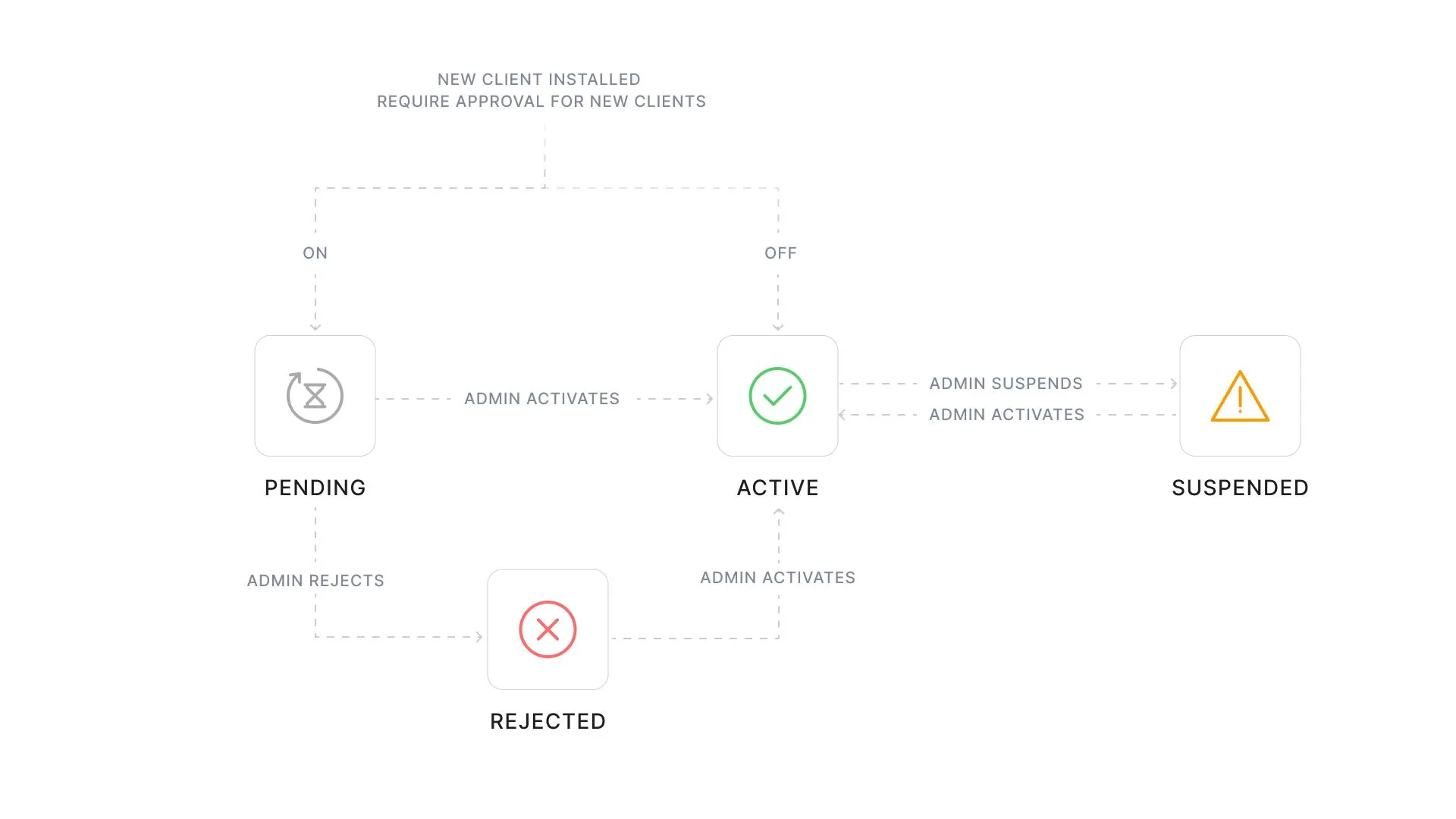
New clients are created as pending if setup approval is required. On the Clients page in the admin panel, they can be activated or rejected, one by one or in bulk.
If setup approval is not required, the client is in active status from the start.
An active client can be suspended, and later reactivated.
Deleting a client
A client in any status can be permanently removed. If the deleted client is not uninstalled from the workstation, it will no longer be able to connect. All data associated with the deleted client is fully removed from the database, and therefore from the admin panel. However, historical activity will still be retained in the activity logs. If the client is reinstalled on the same device, it is treated as a new client with a new client ID.