Terminator status
A terminator's status can be one of the following
- Pending - This status is assigned when the organization's policy requires manual approval for new terminator installations. In this state, enforcement mode is disabled, no alerts are sent, and no sessions can be started.
- Active - The terminator is authorized to run. This is the default status for new terminators when administrative approval is not needed.
- Suspended - An active terminator can be suspended via the admin panel. If not uninstalled and still running on the server, enforcement mode is disabled and all user input will trigger alerts. No sessions can be initiated.
- Rejected - During manual approval, an admin may choose to either activate or reject a new terminator. Rejected terminators have never been active. If not uninstalled and still running on the server, enforcement mode is disabled, no alerts are sent, and no sessions can be started.
Changing a terminator's status
A terminator's status can be changed as the below image portraits.
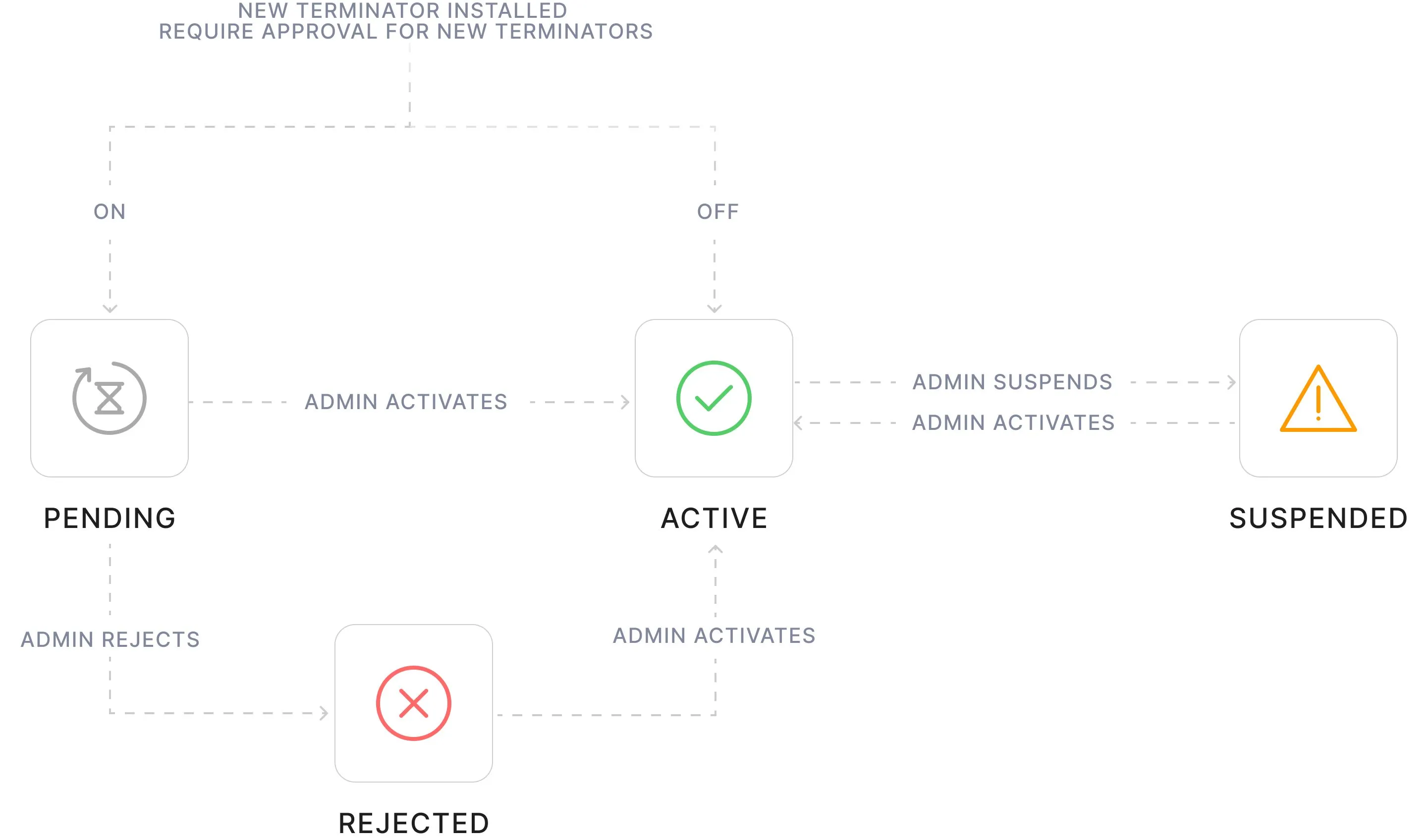
New terminator is created as pending if setup approval is required. From there they can be activated or rejected, one by one or in bulk.
If setup approval is not required, the terminator is in active status from the start.
An active terminator can be suspended, and then reactivated.
Deleting a terminator
Terminators in any status can be permanently deleted. If a deleted terminator is not uninstalled and continues to run, enforcement mode is disabled and all user input will trigger alerts. No sessions can be initiated.
Deleted terminator's data is completely purged from the database and thus the admin panel. Historical activity still remains in the activity logs.
If a terminator is installed again on this device, it gets a new terminator ID and is part of the default terminator group as any new terminator.