Predefined user mapping
Predefined user mapping is a set of rules that translate the terminator username to match the client one.
Predefined user mapping is configured through terminator groups using regular expressions.
General information about user mapping is available here.
The fully qualified username, used for predifined mapping, is in the format domain\username , or device\username when the user is not part of a domain.
The fully qualified username can be found in the Keystrike client, and using the command whoami in a command line interface.
Note that when backslashes are part of the rule they need to be double (\\) as backslash is an escape character in regular expressions.
^ indicates the start of a string. $ indicates the end of a string.
User mapping examples
REGEX RULE | DESCRIPTION |
|---|---|
_admin$= | Removes _admin part from the terminator side username, as long as it is at the end of the line ($). The user acme\john_admin on the terminator side will now match acme\john coming from the client side, and the same for any other user with the _admin suffix. |
^jd_super$=acme\\john | One to one mapping. This maps the terminator user jd_super to map a client user acme\john Note how the start and end of line is defined to avoid that e.g. jd_superman would be translated to acme\johnman |
^scada01\\=acme\\ | Renames users starting with scada01\ to acme\, e.g. user scada01\john on terminator maps to acme\john from client. |
^=acme\\ | Adds the acme\ part to the user on the terminator side, e.g. john on terminator maps to acme\john on client. |
Shared server accounts
Sharing accounts isn’t recommended from a security standpoint. If it’s unavoidable, you can configure user mappings so Keystrike prompts for the active user on each connection. This should only be enabled when multiple users rely on the same account and mappings need to change between sessions.
The formatting of the rules is the same as for other predefined user mapping above, while the right side is set to DYNAMIC-REMAP for this behaviour.
Examples
REGEX RULE | DESCRIPTION |
|---|---|
^dbserver\\admin$=DYNAMIC-REMAP | The dbserver\admin user on the server is shared by multiple people and will be remapped on every connection |
^=DYNAMIC-REMAP | All users on the server will be remapped on every connection |
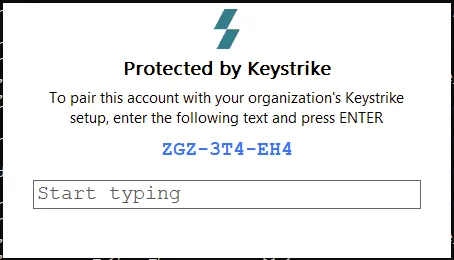
The dynamic user mapping window will appear on each connection